
If you encounter an error when trying to change your email address, it may be because that email is already associated with another account. You can attempt to log in with that email, reset the password if needed, or contact support for assistance in resolving the issue. Options include using the existing account or deleting it to use the email on your original account, or use another email address.
An error will appear if you try to update your email address with an email that already exists on Academia.edu. We'll cover your options to resolve this issue in this article.
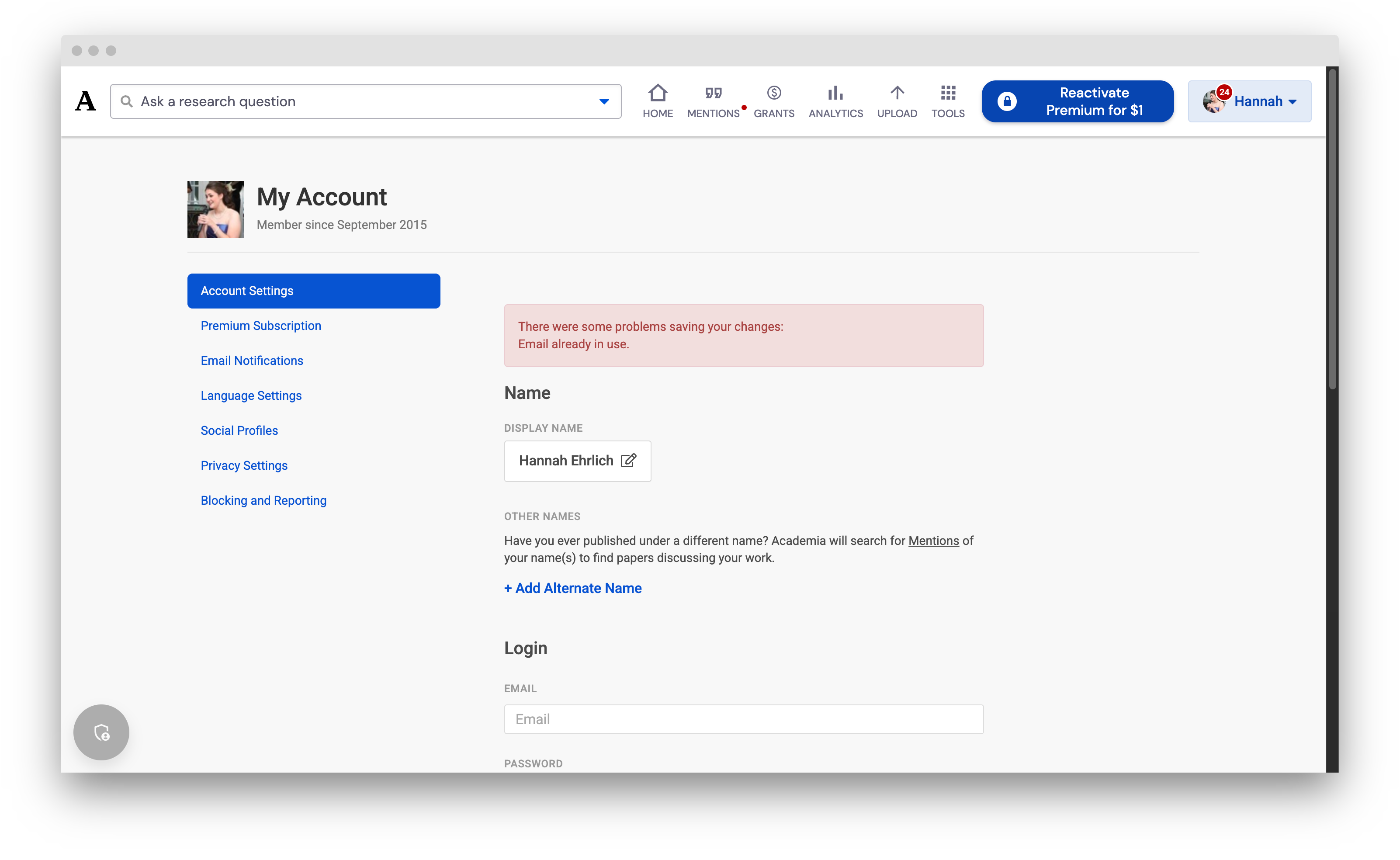
Why is my email address already in use?
What this means is that at some point, you created an account associated with the email address you're trying to save to your current Academia account. This often happens because you signed up for Academia.edu twice using different methods or email addresses (for example, once using Facebook and once directly with your email), resulting in two Academia.edu accounts.
How do I resolve this problem?
The only way to use your email address is to delete the account using the email address to free it up. Email addresses cannot be registered to more than one account.
Alternatively, you can use a different email address.
If you decide to delete the account, we encourage you to evaluate which account you want to delete before you continue, as account deletions are irreversible.
Step 1: Log in to the existing account
Log in to the account that is currently using the email address you want. This will allow you to see the contents (e.g. papers uploaded, followers, etc.) of that account and decide which one you wish to keep.
- Log in to Academia.edu using the specific email address that is causing the error. If you don't know the password for that account, you can reset your password.
- Review the account's contents to determine if it is the account you want to keep or delete.
If our system says there is no Academia account with that email address, try logging in with Google or your Apple ID on the login screen. If you're offered to put in Facebook or Google credentials, it's probably not that either.
Step 2: Delete the unwanted account
Once you have decided which account to keep, you must delete the other one to free up the email address.
- If you choose to delete the account you just logged into, follow our instructions on how to delete an account, and then put your email address on your original Academia account.
- If you choose to keep the account you just logged into, you will need to log back into your primary account and then delete that account.
For more help, shoot us an email with the URL of the profile you want to associate with your email address, and the email address you want to use, and we'll see what else we can do.